

We provide BS player remote online (apkid: bs.player.remote) in order to run this application in our online Android emulator.
Description:
Download this app named BS player remote.
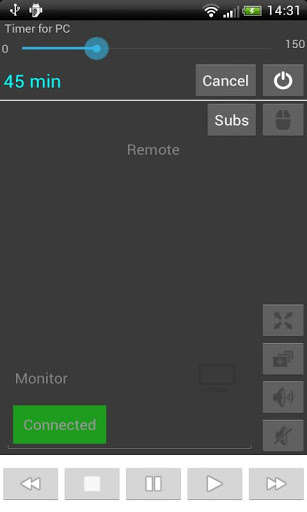
Remote control for pc allow you to control your BS palyer (pc) from your android phone.To get this app working you MUST download the server app for your pc.
You can find the file here:
http: //giorgos-oikonomou.weebly.com/index.html
Follow the steps:
1) Open the windows application
2) Copy the IP andress that is given in the app and let it opened
3) Open the android application and set up the IP from the options menu.
4) Restart both apps and it's done!
Now you can:
Set you computer turn off automatically from your android phone.
Play,Stop,Pause,Fullscreen,Change window, Tune volume and control subtittles and some other things.
Hope you enjoy this!
Updates:
Update with more features will come soon.
Free download Android BS player remote from MyAndroid.net
MyAndroid is not a downloader online for BS player remote. It only allows to test online BS player remote with apkid bs.player.remote. MyAndroid provides the official Google Play Store to run BS player remote online.
