
We provide Barcode Inventory Email Send online (apkid: barcode.inventory.email.send) in order to run this application in our online Android emulator.
Description:
Download this app named Barcode Inventory Email Send.
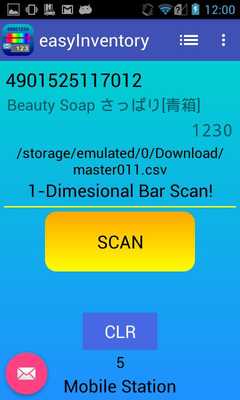
This is Inventory App for warehouse.EAN, QR barcode are available.(User select)
First scan barcode then input quantity and save the data.
Click send button, the data will be send in the mail body.
After sending the mail, the data will be deleted.
â Download the program to Import and text-output by PC.
http: //www.mobile-sta.com/android/importimap_eng.html
â When you prepare the Master File, it shows the Item Name and the Balance of the Stock.
â»Please save the Master File in the Internal Storage(Not SD Card)
e.g.) Download Folder etc.ã
â User Permission
1.Connect to Internet.(Send Email)
2.Access to Camera.(Scan Barcode)
3.Control Flashlight.
4.Prevent Phone from Sleeping.
5.Access to External Storage.(Open Master FIle)
â App Privacy Policy
http: //www.mobile-sta.com/android/policy_easyinventory_eng.html
Tested Model:
Andorid OS 4.2.2 KYOCERA SKT-01.
Android OS 4.3 Galaxy SIII α.
Android OS 7.1 NEXUS 5X
Updates:
1)Changed menu layout.
Free download Android Barcode Inventory Email Send from MyAndroid.net
MyAndroid is not a downloader online for Barcode Inventory Email Send. It only allows to test online Barcode Inventory Email Send with apkid barcode.inventory.email.send. MyAndroid provides the official Google Play Store to run Barcode Inventory Email Send online.
