

We provide Awake Lock for Pokemon GO online (apkid: awake.lock.for.pokemon.go) in order to run this application in our online Android emulator.
Description:
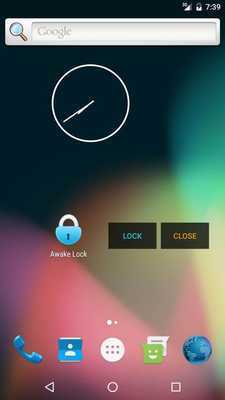
Download this app named Awake Lock for Pokemon GO.
Awake Lock allows you to lock your smartphone and save battery life while the device stays awake.When locked, the screen won't react to input other than unlock input and will be dimmed after a short moment to save your battery life.
Usage:
Launch the app and press the "LOCK" button.
Your device will be unlocked if you touch and hold the "UNLOCK" button or if you press the power button of your smartphone.
Notes:
- You can drag the buttons to any favored place
- When locked, the UI will hide itself after 10 seconds.
To show it again, tap anywhere on the screen.
- For Android 6 and higher: You have to allow the app to draw the overlay explicitly.
To do so, launch the app, give the permission and press the back button.
Permissions:
Wake Lock - To keep the device awake in a power saving mode
System Alert Window - Required to draw the overlay
Updates:
Free download Android Awake Lock for Pokemon GO from MyAndroid.net
MyAndroid is not a downloader online for Awake Lock for Pokemon GO. It only allows to test online Awake Lock for Pokemon GO with apkid awake.lock.for.pokemon.go. MyAndroid provides the official Google Play Store to run Awake Lock for Pokemon GO online.
