
We provide Story Saver and Repost for whatsapp online (apkid: anibytes.com.ssrw) in order to run this application in our online Android emulator.
Description:
Run this app named Story Saver and Repost for whatsapp using MyAndroid.
You can do it using our Android online emulator.
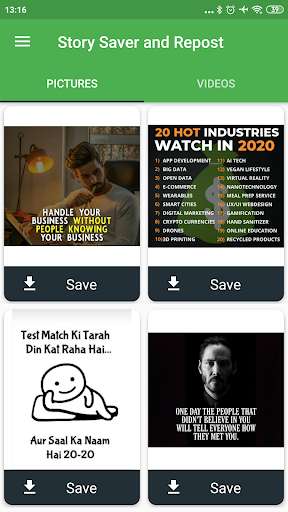
Story Saver and Repost for whatsapp helps to fetch all your 'seen' whatsapp Status such as images, videos, and gif very quickly and it saved it to your gallery.
You can see all saved contents separately under the "Saved Contents" option Now further, if you want to delete those saved statuses, then you can also delete it through the app.
Features:
1.
Fetch whatsapp story Automatically
2.
No Login Required
3.
Quickest WhatsApp Status Video Download App
4.
2 column Gallery View for Quick Access to media files
3.
Smooth UI and user-friendly Interface.
4.
This app works offline
How to use this app?
1.
Open whatsapp see Stories you Want to Download.
2.
Now open this app and click on the "Save" button.
It will save on your storage.
3.
Goto "Saved contents" and click on the "Send" button to repost on your whatsapp or share on other platforms.
4.
To delete, just click on the delete button.
Disclaimer:
1.
This app is NOT affiliated with WhatsApp, Inc.
2.
Any unauthorized downloading or re-uploading of contents and/or violations of Intellectual property rights is the sole responsibility of the user.
Permission:
1.
This app requires storage permission to read or delete files.
2.
This app is monetized by Ads and it uses the internet to display ads.
We are constantly working hard on making the Story Saver for WhatsApp app better and more useful for you.
We need your constant support to get going.
Please feel free to email us for any queries/suggestions/problems or if you just want to say hello.
We would love to hear from you.
You can see all saved contents separately under the "Saved Contents" option Now further, if you want to delete those saved statuses, then you can also delete it through the app.
Features:
1.
Fetch whatsapp story Automatically
2.
No Login Required
3.
Quickest WhatsApp Status Video Download App
4.
2 column Gallery View for Quick Access to media files
3.
Smooth UI and user-friendly Interface.
4.
This app works offline
How to use this app?
1.
Open whatsapp see Stories you Want to Download.
2.
Now open this app and click on the "Save" button.
It will save on your storage.
3.
Goto "Saved contents" and click on the "Send" button to repost on your whatsapp or share on other platforms.
4.
To delete, just click on the delete button.
Disclaimer:
1.
This app is NOT affiliated with WhatsApp, Inc.
2.
Any unauthorized downloading or re-uploading of contents and/or violations of Intellectual property rights is the sole responsibility of the user.
Permission:
1.
This app requires storage permission to read or delete files.
2.
This app is monetized by Ads and it uses the internet to display ads.
We are constantly working hard on making the Story Saver for WhatsApp app better and more useful for you.
We need your constant support to get going.
Please feel free to email us for any queries/suggestions/problems or if you just want to say hello.
We would love to hear from you.
MyAndroid is not a downloader online for Story Saver and Repost for whatsapp. It only allows to test online Story Saver and Repost for whatsapp with apkid anibytes.com.ssrw. MyAndroid provides the official Google Play Store to run Story Saver and Repost for whatsapp online.
