

We provide AFHCANmobile online (apkid: afhcan.mobile.androidapp) in order to run this application in our online Android emulator.
Description:
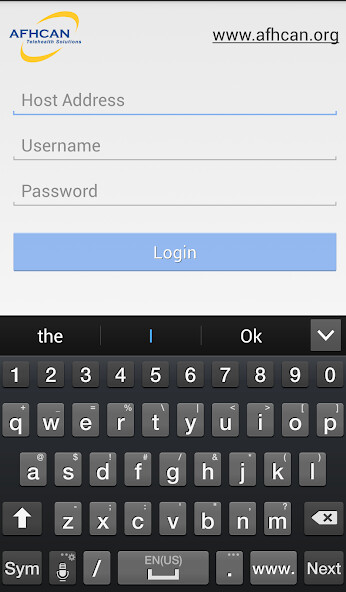
Run this app named AFHCANmobile using MyAndroid.
You can do it using our Android online emulator.
See more patients.
Do more business.
Have more freedom.
Stay connected to your telehealth caseload while youre on the go with AFHCANmobile.
As a healthcare provider you can consult on, reply to and create new telemedicine cases wherever and whenever you need to.
How it Works
Log into AFHCANmobile from your smartphone and view the same cases you would see on AFHCANweb in the office.
View your case list to see all new cases, or only cases sent to a specific destination group.
Consult on and reply to existing cases without having to go back to the office.
Use down time during the day to consult on a telemedicine case, freeing up time normally spent in your office consulting on cases.
Add comments, photos and forms to cases from your mobile device.
Capture a photo from within the app, or add a previously captured photo to the case from your devices Camera Roll or Photo Gallery.
If a case does not exist, search for a patient and create a new case for that patient, then send this case on for consultation.
Return a case you consulted on, or send a new case to a provider in your organization or in another organization that you have a connection with.
How its Secure
All data is encrypted and secured to facilitate your organizations HIPAA compliance policies.
How to Get Started
To use AFHCANmobile, you must have access to an AFHCANorganization.
To learn more about AFHCAN Telehealth Solutions, visit www.afhcan.org.
Do more business.
Have more freedom.
Stay connected to your telehealth caseload while youre on the go with AFHCANmobile.
As a healthcare provider you can consult on, reply to and create new telemedicine cases wherever and whenever you need to.
How it Works
Log into AFHCANmobile from your smartphone and view the same cases you would see on AFHCANweb in the office.
View your case list to see all new cases, or only cases sent to a specific destination group.
Consult on and reply to existing cases without having to go back to the office.
Use down time during the day to consult on a telemedicine case, freeing up time normally spent in your office consulting on cases.
Add comments, photos and forms to cases from your mobile device.
Capture a photo from within the app, or add a previously captured photo to the case from your devices Camera Roll or Photo Gallery.
If a case does not exist, search for a patient and create a new case for that patient, then send this case on for consultation.
Return a case you consulted on, or send a new case to a provider in your organization or in another organization that you have a connection with.
How its Secure
All data is encrypted and secured to facilitate your organizations HIPAA compliance policies.
How to Get Started
To use AFHCANmobile, you must have access to an AFHCANorganization.
To learn more about AFHCAN Telehealth Solutions, visit www.afhcan.org.
MyAndroid is not a downloader online for AFHCANmobile. It only allows to test online AFHCANmobile with apkid afhcan.mobile.androidapp. MyAndroid provides the official Google Play Store to run AFHCANmobile online.
