

We provide Iot Servo Slider online (apkid: a.design.slideradmob) in order to run this application in our online Android emulator.
Description:
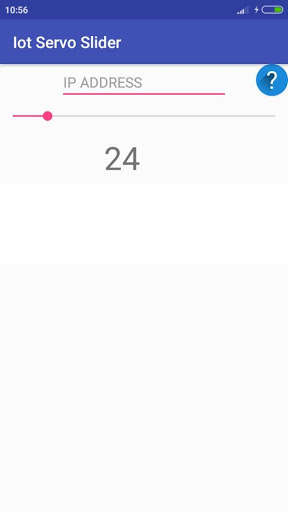
Run this app named Iot Servo Slider using MyAndroid.
You can do it using our Android online emulator.
This app used to control the servo from iot device that run arduino ide, for example nodeMCU, Wemos, ESP8266.
Below the code for the arduino:
#include
#include
#include
#include
Servo servo;
const char* ssid = "WIFI_SSID"; // Enter Your wifi SSID here
const char* password = "WIFI_PASSWORD"; // Enter Your Wifi Password Here
ESP8266WebServer server(80);
//The function we want to call
void slider(){
// Serial.println(server.args()); //to known number of parameter
// Serial.println(server.argName(i)); //Get the name of the parameter
Serial.println(server.arg(0)); //Print value receive
int val = server.arg(0).toInt(); //Servo write only read integer
servo.write(val);
}
//The function if no function found
void handleNotFound(){
String message = "File Not Found\\n\\n";
message += "URI: ";
message += server.uri();
message += "\\nMethod: ";
message += (server.method() == HTTP_GET)?"GET": "POST";
message += "\\nArguments: ";
message += server.args();
message += "\\n";
for (uint8_t i=0; i message += " " + server.argName(i) + ": " + server.arg(i) + "\\n";
}
server.send(404, "text/plain", message);
}
void setup() {
Serial.begin(115200);
WiFi.begin(ssid, password);
Serial.println("");
// Wait for connection
while (WiFi.status() != WL_CONNECTED) {
delay(500);
Serial.print(".");
}
Serial.println("");
Serial.print("Connected to ");
Serial.println(ssid);
Serial.print("IP address: ");
Serial.println(WiFi.localIP());
if (MDNS.begin("esp8266")) {
Serial.println("MDNS responder started");
}
//Set the option when we put at url
//the slider function will be called
server.on("/Slider",slider);
//When input the IP address on url
server.on("/", [](){
server.send(200, "text/plain", "this works as well");
});
server.onNotFound(handleNotFound);
server.begin();
Serial.println("HTTP server started");
servo.attach(D3);
}
void loop() {
server.handleClient();
}
Below the code for the arduino:
#include
#include
#include
#include
Servo servo;
const char* ssid = "WIFI_SSID"; // Enter Your wifi SSID here
const char* password = "WIFI_PASSWORD"; // Enter Your Wifi Password Here
ESP8266WebServer server(80);
//The function we want to call
void slider(){
// Serial.println(server.args()); //to known number of parameter
// Serial.println(server.argName(i)); //Get the name of the parameter
Serial.println(server.arg(0)); //Print value receive
int val = server.arg(0).toInt(); //Servo write only read integer
servo.write(val);
}
//The function if no function found
void handleNotFound(){
String message = "File Not Found\\n\\n";
message += "URI: ";
message += server.uri();
message += "\\nMethod: ";
message += (server.method() == HTTP_GET)?"GET": "POST";
message += "\\nArguments: ";
message += server.args();
message += "\\n";
for (uint8_t i=0; i message += " " + server.argName(i) + ": " + server.arg(i) + "\\n";
}
server.send(404, "text/plain", message);
}
void setup() {
Serial.begin(115200);
WiFi.begin(ssid, password);
Serial.println("");
// Wait for connection
while (WiFi.status() != WL_CONNECTED) {
delay(500);
Serial.print(".");
}
Serial.println("");
Serial.print("Connected to ");
Serial.println(ssid);
Serial.print("IP address: ");
Serial.println(WiFi.localIP());
if (MDNS.begin("esp8266")) {
Serial.println("MDNS responder started");
}
//Set the option when we put at url
//the slider function will be called
server.on("/Slider",slider);
//When input the IP address on url
server.on("/", [](){
server.send(200, "text/plain", "this works as well");
});
server.onNotFound(handleNotFound);
server.begin();
Serial.println("HTTP server started");
servo.attach(D3);
}
void loop() {
server.handleClient();
}
MyAndroid is not a downloader online for Iot Servo Slider. It only allows to test online Iot Servo Slider with apkid a.design.slideradmob. MyAndroid provides the official Google Play Store to run Iot Servo Slider online.
