
We provide RocketDial SeaShore Theme (HD) online (apkid: rocketdial.seashore.theme.hd) in order to run this application in our online Android emulator.
Description:
Download this app named RocketDial SeaShore Theme (HD).
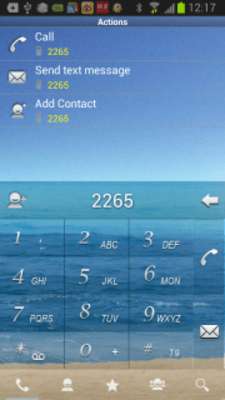
A SeaShore Theme for RocketDial , please install RocketDial main program to use this theme.Designed in 1280x720 HD quality
Required RocketDial 2.9.8 Up !
How to apply :
-Step1: Install RocketDial Free or Pro version.
-Step2: Install this theme.
-Step3: Goto RocketDial Settings->Choose Skin , choose this theme.
-Step4: Restart RocketDial and you will see theme applied.
RocketDial Free
https: //play.google.com/store/apps/details?id=intelgeen.rocketdial.trail
RocketDial Pro (paid version)
https: //play.google.com/store/apps/details?id=intelgeen.rocketdial.pro
Like RocketDial in facebook.
http: //www.facebook.com/pages/RocketDial/208571745844752
Updates:
Update For 3.7.0
Free download Android RocketDial SeaShore Theme (HD) from MyAndroid.net
MyAndroid is not a downloader online for RocketDial SeaShore Theme (HD). It only allows to test online RocketDial SeaShore Theme (HD) with apkid rocketdial.seashore.theme.hd. MyAndroid provides the official Google Play Store to run RocketDial SeaShore Theme (HD) online.
